Category: Tech

  • Obscura —> Mullvad —> Internet

    Obscura —> Mullvad —> Internet

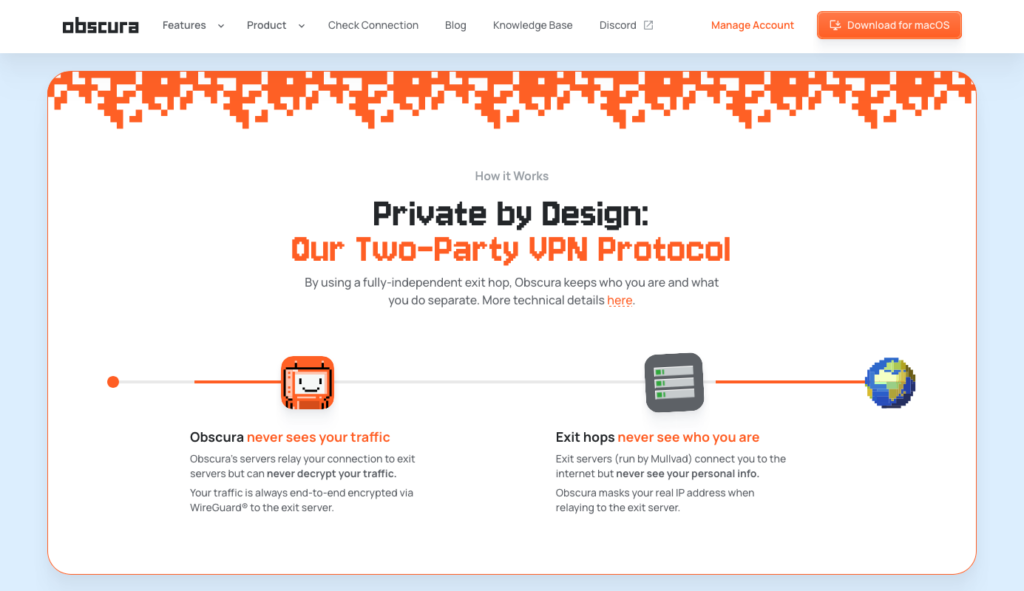
    screenshot from obscura.net. Headline, "Private by Design: Our Two-Party VPN Protocol". 

Body copy left, "Obscura never sees your traffic
Obscura's servers relay your connection to exit servers but can never decrypt your traffic.
Your traffic is always end-to-end encrypted via
WireGuard® to the exit server."

Body copy right, "Exit hops never see who you are
Exit servers (run by Mullvad) connect you to the internet but never see your personal info.
Obscura masks your real IP address when relaying to the exit server."

Pixelated design at top of window holding content. Image of a line drawn to the obscura icon, then to a server icon, then to a globe icon.

Obscura's website header up top with links including "Download for macOS"

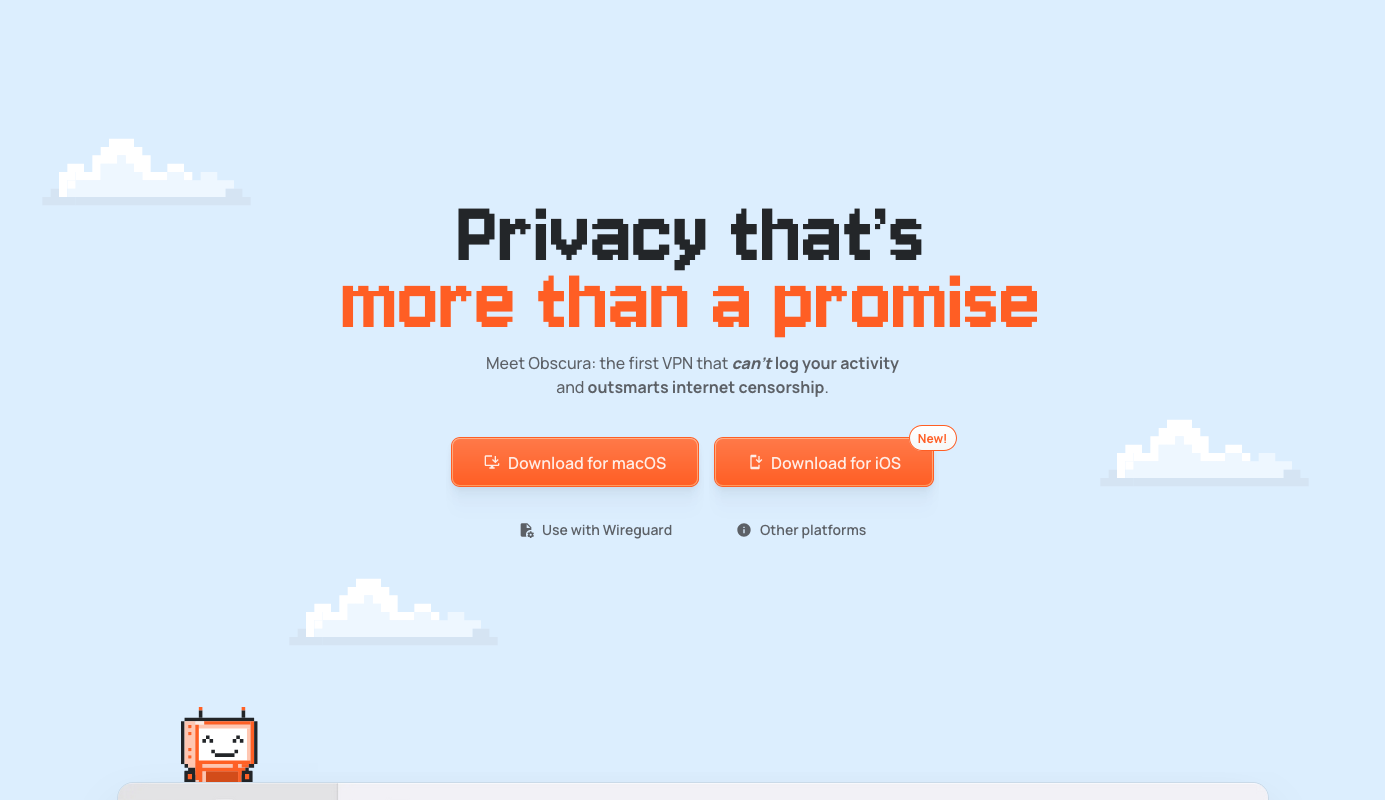
    I’m experimenting with Obscura VPN.

    I’m largely curious about how they’re chaining Obscura —> Mullvad —> Internet.

    “Traffic first passes through Obscura’s servers before exiting to the Internet via Mullvad’s WireGuard servers. This two-party architecture ensures that neither Obscura nor Mullvad can see both your identity and your Internet traffic.”
    Via: Mullvad has partnered with Obscura VPN

    According to Obscura’s FAQ:

    Obscura is provably private by design.

    Even “no-logs” VPNs see both your identity and your internet activity, meaning you have to blindly trust their pinky-promise for privacy. This is exactly why some privacy-conscious folks will tell you not to use a VPN at all.

    Obscura is different – we never see your decrypted internet packets. It’s simply impossible for us to log your internet activity, even if we were compelled to, or if our servers were compromised. You can even verify this yourself.

    Obscura’s stealth protocol is much harder to block.

    Our unique stealth protocol is designed to blend in with regular internet traffic. It does so by leveraging QUIC – the same technology that powers HTTP/3 – making it far harder for censors or network filters to detect or block.

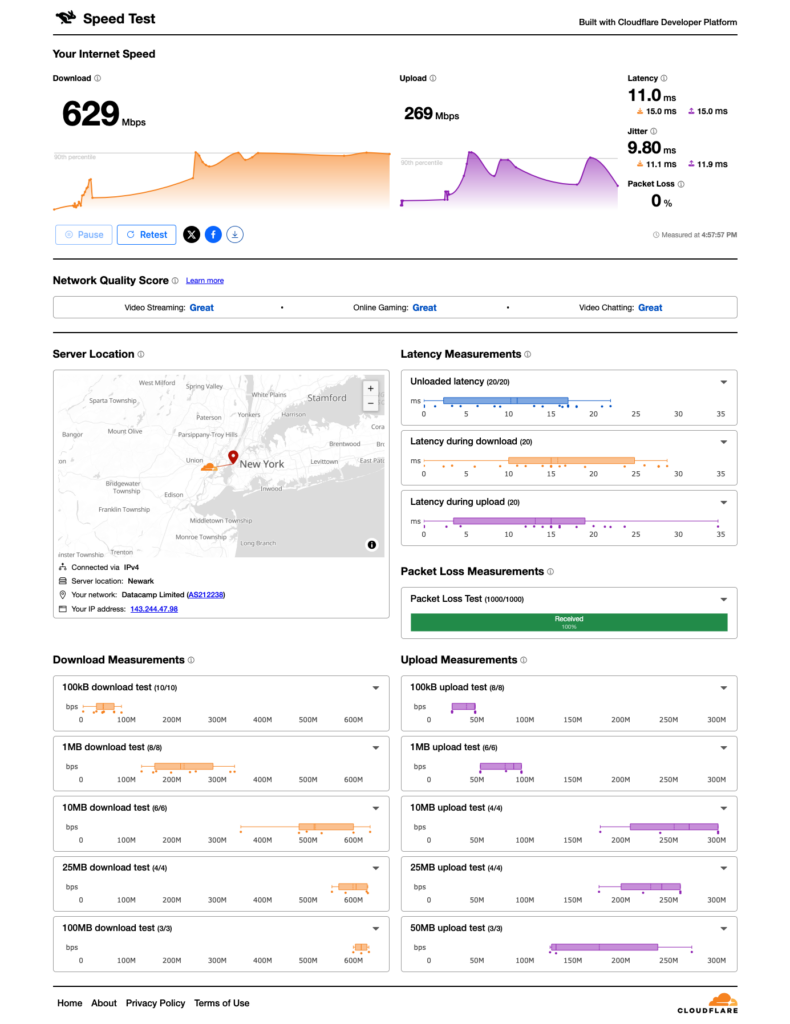
    Not too shabby:

    Screenshot of full speed.cloudflare.com website test results. Shows download and upload measurements as well as latency and jitter. Everything looks pretty snappy.
  • Meredith Whittaker + Signal + You Caring about Privacy

    Meredith Whittaker + Signal + You Caring about Privacy

    The State of Personal Online Security and Confidentiality · SXSW 2025

    Meredith Whittaker making the case for why you should be using Signal.

    No excuses.
    Tolerance has been reduced to zero.

    Hero Image: Jan Zappner/re:publica
    https://commons.wikimedia.org/wiki/File:Re-publica_23_-Tag_1(52952663983).jpg

  • Link Clicked. Privacy Preserved.

    Link Clicked. Privacy Preserved.

    Mullvad Browser is one of 2 daily drivers. I spin up and down others, but I consistently bounce between Mullvad and Firefox where I’m always running multiple profiles. Wait. Wat?! Why would I make my life so annoying and tedious, you ask?

    They’re all out to getcha. This is not a secret.
    Explore browser fingerprinting for maximum rage inducement.

    I prefer to keep aspects of my online life segmented, a separation of concerns. Some things are similar enough that I don’t mind the related sites understanding who I am and what I’m doing there. Dev work and all of it’s associated activity sits in one profile. Newspapers, magazines, library websites and such live in another. Each profile’s cookies, browser histories, fingerprint, etc. remain unknown to the others. For more discretion (within reason) I’ll hit sites via Mullvad where I’m regularly creating new identities, escalating to Tor on occasion … sensitive topics like health.

    Juggling all of these browsers def ain’t easy. What if I’m on a page in Firefox but want to open the link in Mullvad? Well, you say, you copy the link, paste it into Mullvad and don’t look back. But if it’s something you rinse and repeat all day it becomes hellish. There is a better way. Didn’t find any existing solution, so I just rolled my own.

    WTF is this noise?

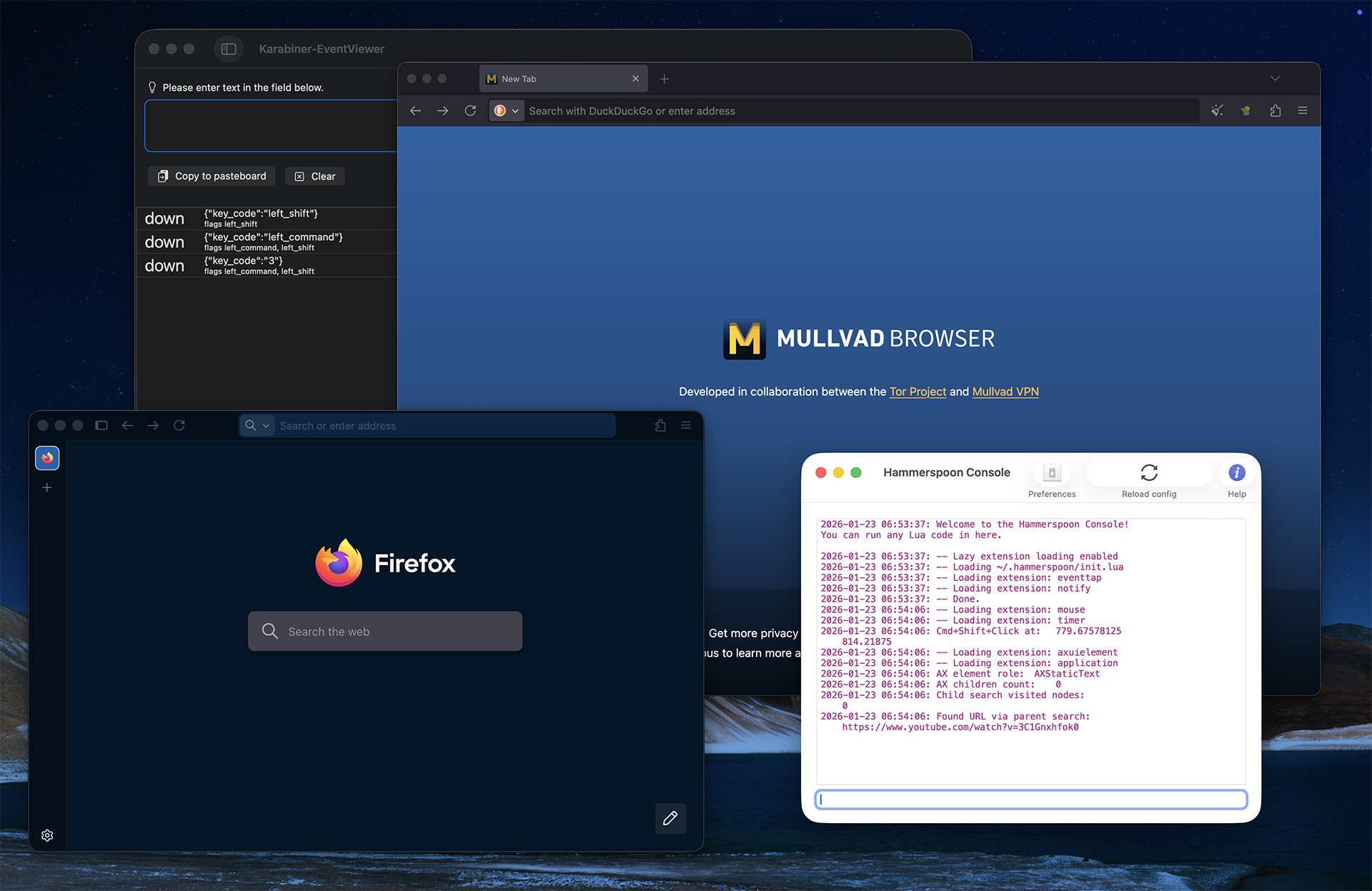
    OK. I’ve got the dueling browsers (minimum). And they don’t talk to each other. By installing Hammerspoon and writing a Lua script I’m able to do a Cmd+Shift+Click combo, and with that open the clicked Firefox link in Mullvad. Nice.

    The video may be tough to follow, but at about 30s I clear the event viewer, you see that Cmd+Shift are pressed, then a click, then waves hands, link opens in Mullvad Browser.

    A floaty banger, that one.

    I’d rather not do this with an extension or use other simpler methods as doing so translates to a more unique fingerprint. So then comes the wrastlin: Grab the code. Use the code.


    Here’s a high‑level overview of my script, ~/.hammerspoon/init.lua:

    • Sets up a Cmd+Shift+Click hook using hs.eventtap to intercept left mouse down events.
    • Targets Firefox only, checking the frontmost app bundle ID against common Firefox builds.
    • Uses macOS Accessibility (AX) to locate the UI element under the cursor and extract a link URL.
    • Normalizes AXURL values, handling both string and table formats (like absoluteString).
    • Searches multiple AX paths for links:
      • Direct AXURL / AXValue on the element
      • AXLinkUIElements / AXLinkedUIElements
      • Child tree traversal (bounded depth + node cap)
      • Parent chain traversal
      • Focused element fallback
    • Opens the URL in the system default browser if found.

    OK, but why Mullvad Browser?
    Self-care. Get some.

  • VirusTotal Firefox Browser Extension

    VirusTotal Firefox Browser Extension

    Something I try to share with people is the need to test links before you click them. Not all links, but anything suspicious. For me that means anything I receive via email.

    VirusTotal has been a tool/service I’ve been using for a long while. Their browser extension facilitates the scanning of suspicious links by situating the functionality into the context sensitive menu triggered by a right click.

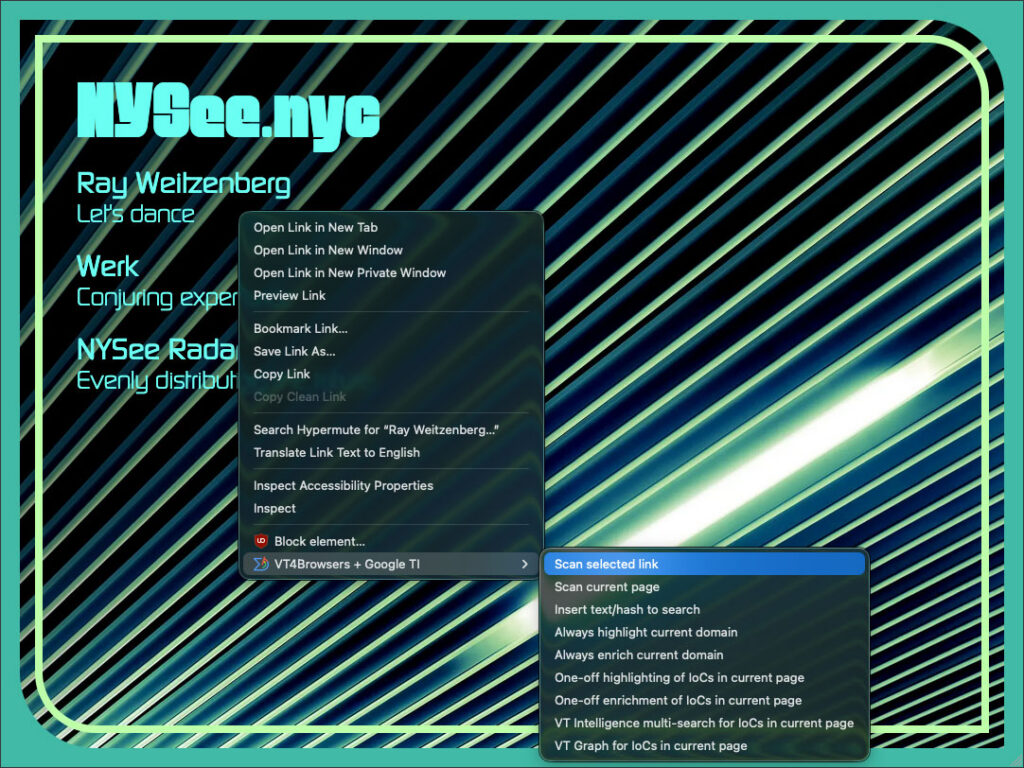
    Screenshot of the NYSee.nyc homepage. A context sensitive menu is displayed with the item, "Preview of VT4Browsers + Google TI
VT4Browsers + Google TI" toggled open and the option "Scan selected link" highlighted.
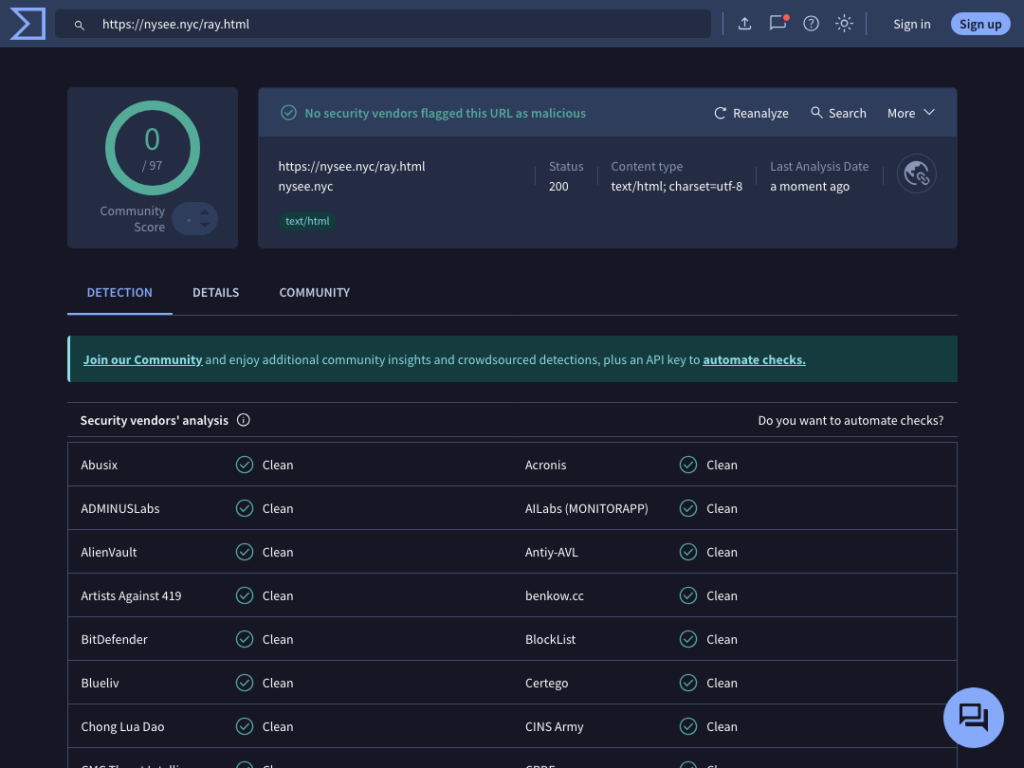
    Screenshot of a VirusTotal URL scan results page. Information about the safety of the scanned link is displayed with the summary up top and the indiviual vendors scan results are displayed in a table below.

    Selecting that menu option triggers the VirusTotal URL scan page to open and initiates the scan of that link. Results of that scan are returned and from those you can decide for yourself if you trust what’s on the other side of that link.

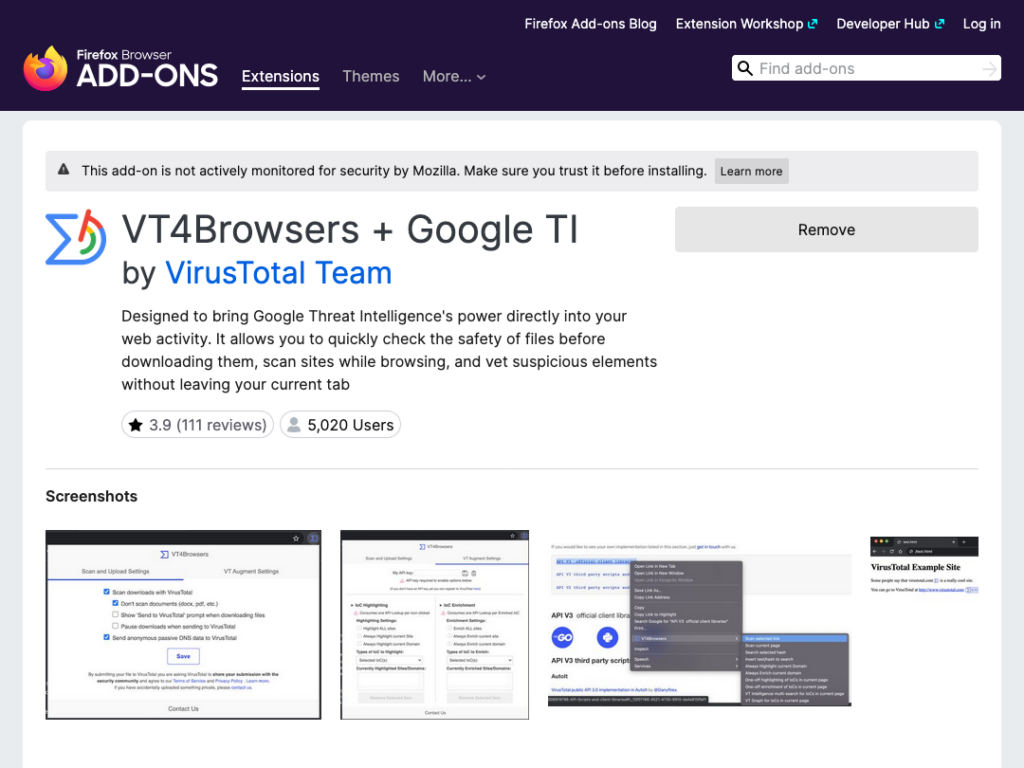
    Screenshot of the VT4Browsers + Google TI firefox extension page. Details about the extension are displayed with a "Remove" button to their right. Below are screenshots showing the functionality of the extension.

    May your clicks be merry and bright

    https://addons.mozilla.org/en-US/firefox/addon/vt4browsers

  • Jim Campbell · Encoding Light

    bitforms gallery

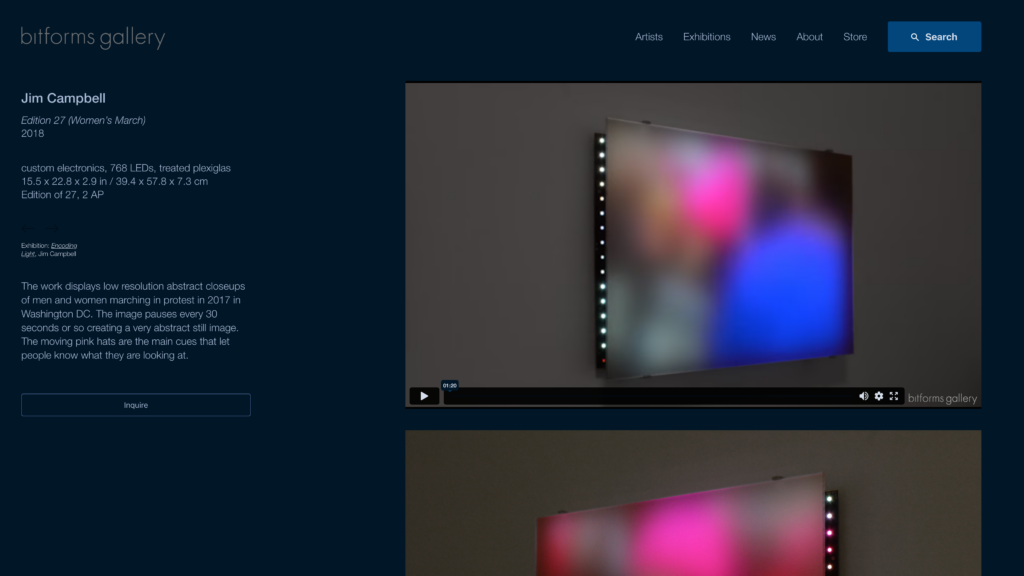
    screenshot of the bitforms gallery website page showcasing the upcoming Jim Campbell show. On the right is a static poster image for a video which shows a piece of art hanging on the wall. the artwork has a blury front face and on the edge of the piece led lights are visible behind the frosted glass front. a bit of the next image is popping up above the fold below. to the right are details about the work

    luv luv luv me some Jim Campbell

    Opening: This Saturday, January 24th, 5 – 7 PM @ the lovely bitforms gallery

  • Kismet: a One Month Run

    Kismet: a One Month Run

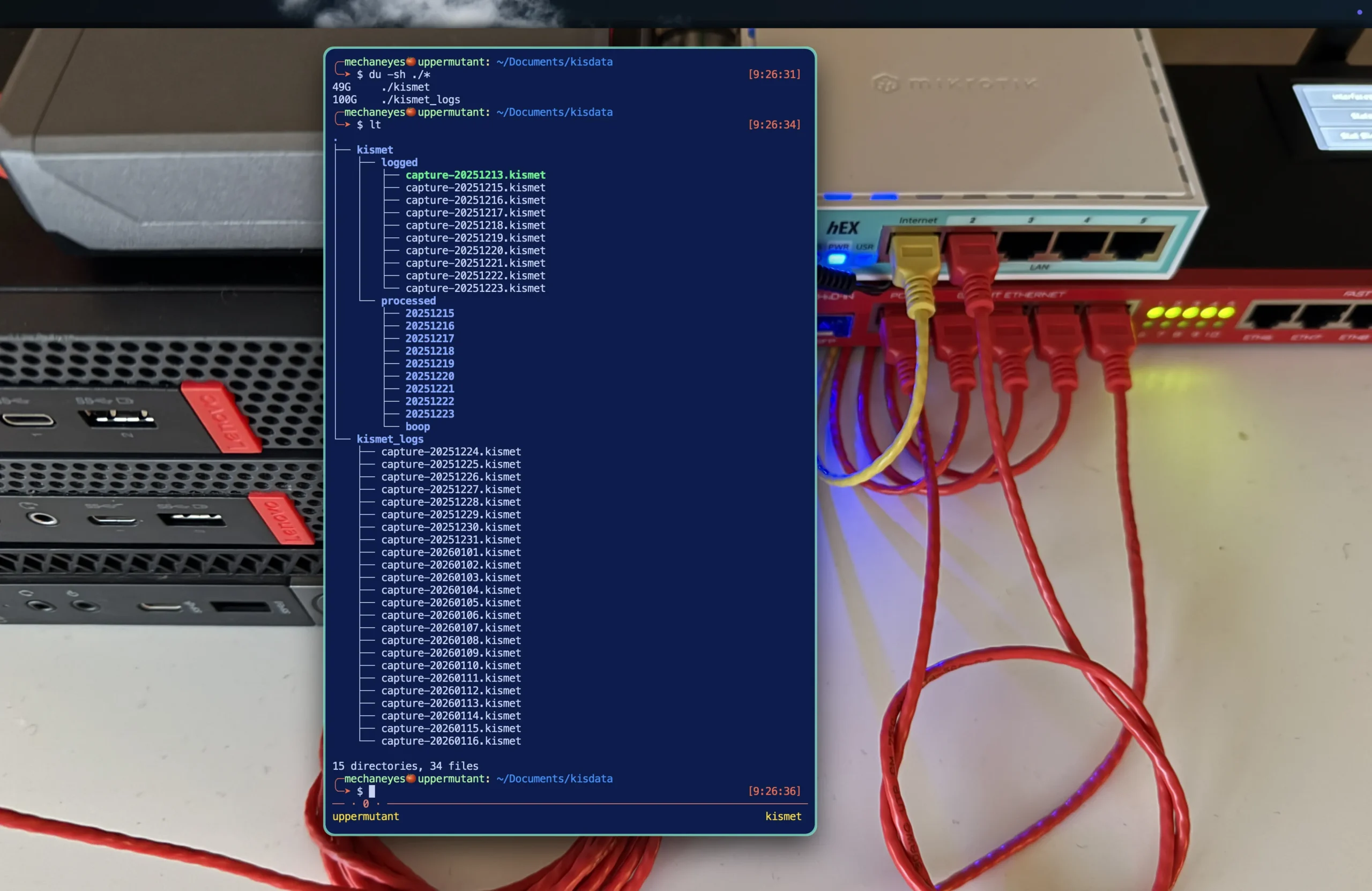
    I’ve just closed out the Kismet process I had running around the clock for just over a month.

    In that month the database files, which I had rotating daily were typically growing to 5GB before flipping. The total data collected is roughly 150GB.

    $ du -sh ./*
    49G	./kismet
    100G	./kismet_logs
    
    # And the log files themselves
    
    ┌── kismet
    │   ├── logged
    │   │   ├── capture-20251213.kismet
    │   │   ├── capture-20251215.kismet
    │   │   ├── capture-20251216.kismet
    │   │   ├── capture-20251217.kismet
    │   │   ├── capture-20251218.kismet
    │   │   ├── capture-20251219.kismet
    │   │   ├── capture-20251220.kismet
    │   │   ├── capture-20251221.kismet
    │   │   ├── capture-20251222.kismet
    │   │   └── capture-20251223.kismet
    │   └── processed
    │       ├── 20251215
    │       ├── 20251216
    │       ├── 20251217
    │       ├── 20251218
    │       ├── 20251219
    │       ├── 20251220
    │       ├── 20251221
    │       ├── 20251222
    │       ├── 20251223
    │       └── boop
    └── kismet_logs
        ├── capture-20251224.kismet
        ├── capture-20251225.kismet
        ├── capture-20251226.kismet
        ├── capture-20251227.kismet
        ├── capture-20251228.kismet
        ├── capture-20251229.kismet
        ├── capture-20251230.kismet
        ├── capture-20251231.kismet
        ├── capture-20260101.kismet
        ├── capture-20260102.kismet
        ├── capture-20260103.kismet
        ├── capture-20260104.kismet
        ├── capture-20260105.kismet
        ├── capture-20260106.kismet
        ├── capture-20260107.kismet
        ├── capture-20260108.kismet
        ├── capture-20260109.kismet
        ├── capture-20260110.kismet
        ├── capture-20260111.kismet
        ├── capture-20260112.kismet
        ├── capture-20260113.kismet
        ├── capture-20260114.kismet
        ├── capture-20260115.kismet
        └── capture-20260116.kismet

    In that processed directory is data I experimented with early on. I hadn’t and still haven’t put much time into it, but was mostly curious about how discreet, as in how unique individual devices are. Much of it generally is.

    It’s really not about the static devices around me. I’m more focused on the devices passing my apartment window.

    Turns out it was trivial to identify an individual device and recognize it every time it passed by. Creepy. Yes. Alarming. Also yes.

    We bleed massive amounts of data as we walk down the street. I want to know what that data is, and from that, how that data might be used by others. That data you’re (un)knowingly sharing is being collected on a massive scale, then is turned around and sold to just about anyone who’s interested in paying for it.

    The United States has some of the most disgracefully absent privacy laws in the world. Advertisers have found that your data is especially valuable, allowing them to build profiles to better target you with ads. They know an astonishing amount of information about us.

    Many say they know more about us than we do ourselves.

    I have lots to share about this. In the coming days and weeks, as I dive into and start working with the data, I’ll expand on what that data actually is, how it’s being used and what you might consider in adjusting—or not—your habits with that information in mind.

    While transforming this data into information, it will simultaneously be transformed into visual form. Exactly what that will look like I’m unsure of at the moment. I like to see where an idea takes me, and to watch how the process governs the eventual shape it takes.

    Maybe this knowledge prompts you to make adjustments. Maybe you’ll become aware of these things and simply move on as, who knows, your unknowingly surrendered data might make the groceries in your cart cheaper than the identical groceries in the cart of the person behind you. However, maybe the algorithm thinks you’re rich. Prepare to pay more for that flight (via Harvard’s Berkman Klein Center for Internet & Society).
  • This is Not a Rehearsal—It’s an Alchemical Ritual

    This is Not a Rehearsal—It’s an Alchemical Ritual

    Cory Doctorow as Conductor

    Happy? During the hour of the wolf? How dare he.

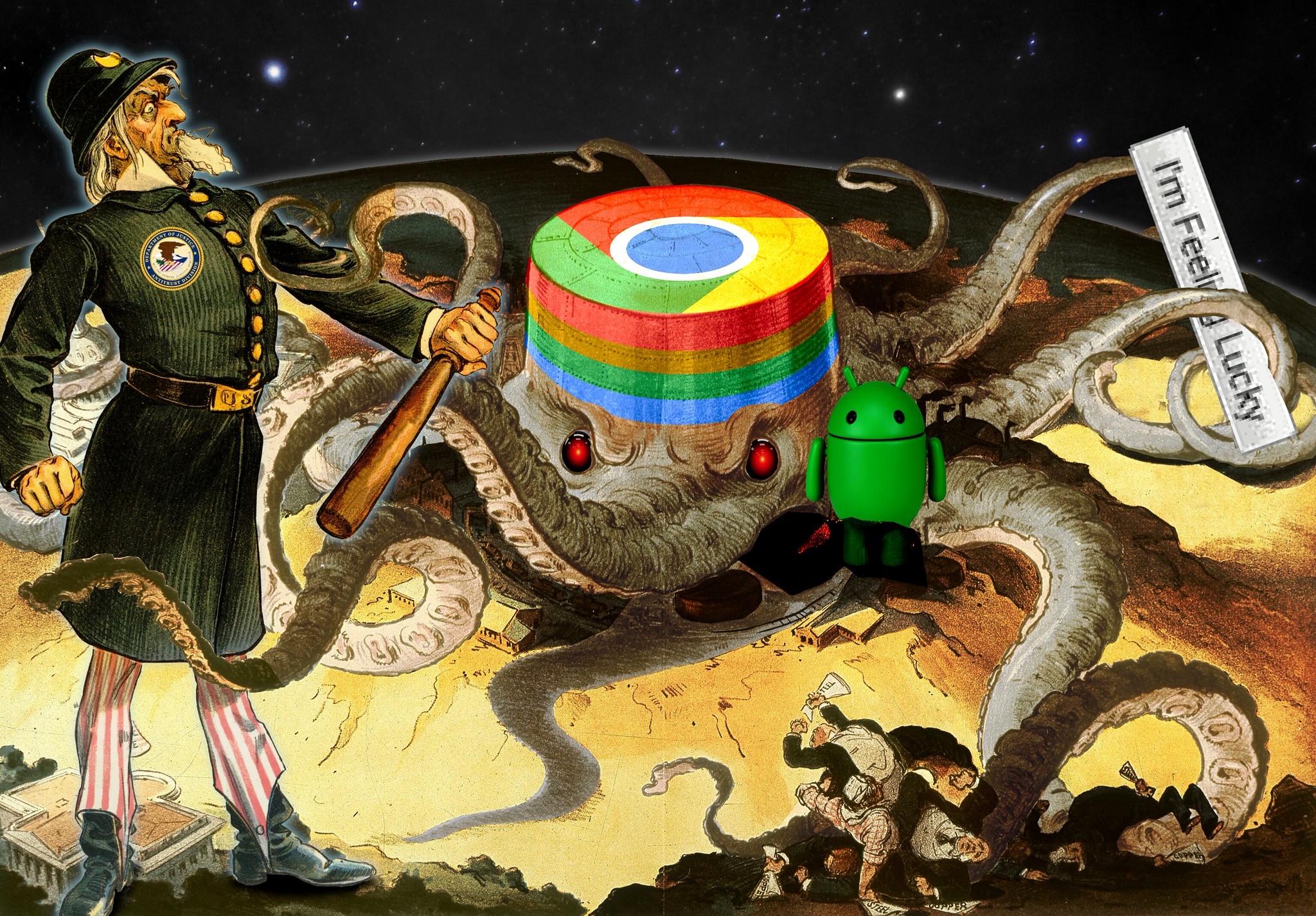
    An early 20th century editorial cartoon depicting the Standard Oil Company an a world-spanning octopus clutching the organs of state - White House, Capitol dome, etc - in its tentacles. It has been altered: to its left, curled within its tentacles, stands an early 20th century cartoon depicting Uncle Sam as a policeman with a billyclub, with a DOJ Antitrust Division crest on his chest. On its right, one of its tentacles clutches an early Google 'I'm Feeling Lucky' button. Its head has been colored in with bands in the colors of the Google logo, surmounted by the Chrome logo. Its eyes have been replaced with the eyes of HAL9000 from Kubrick's '2001: A Space Odyssey.' Nestled in one of its armpits is the Android robot. Image: Cryteria (modified) https://commons.wikimedia.org/wiki/File:HAL9000.svg CC BY 3.0 https://creativecommons.org/licenses/by/3.0/deed.en

    I *think* he says, “the joke about the podium is that it’s the only known USB-C compatible podium that they could find for me.”

    Seen another way, he’s the conductor.
    The room is filled by avant-garde virtuosos.

    This is not a rehearsal—it’s an alchemical ritual. He and the hackers before him are smelting AI slop and surveillance capitalism into something transcendent. The future isn’t coming. It’s being sublimated from the bones of the present.

    https://media.ccc.de/v/39c3-a-post-american-enshittification-resistant-internet


    Read it here:
    https://pluralistic.net/2026/01/01/39c3/#the-new-coalition


    Hero image:

    The amazing collages from the talk:
    https://www.flickr.com/photos/doctorow/albums/72177720316719208

  • Meshtastic: Sacto to the Bay

    Meshtastic: Sacto to the Bay

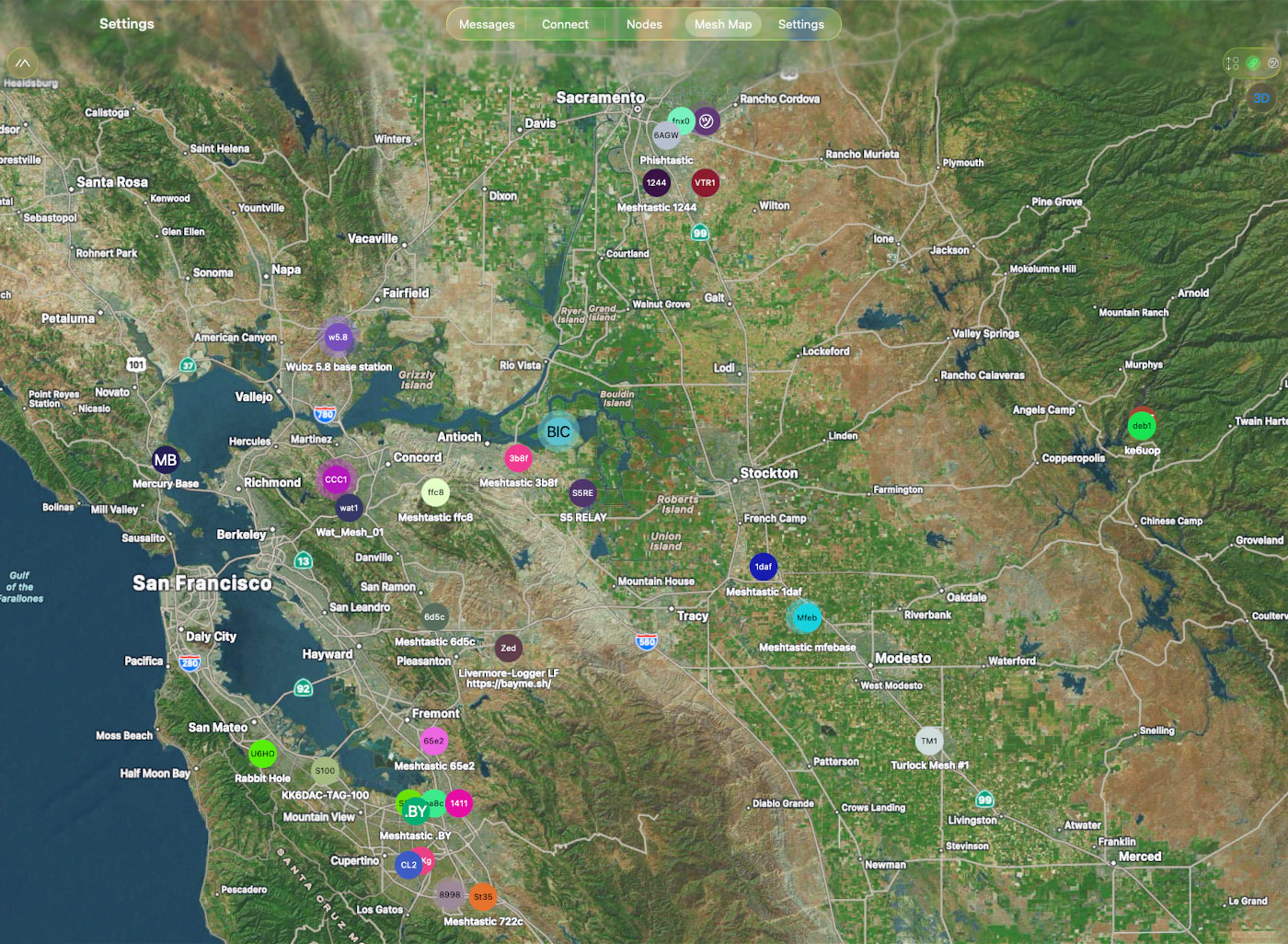
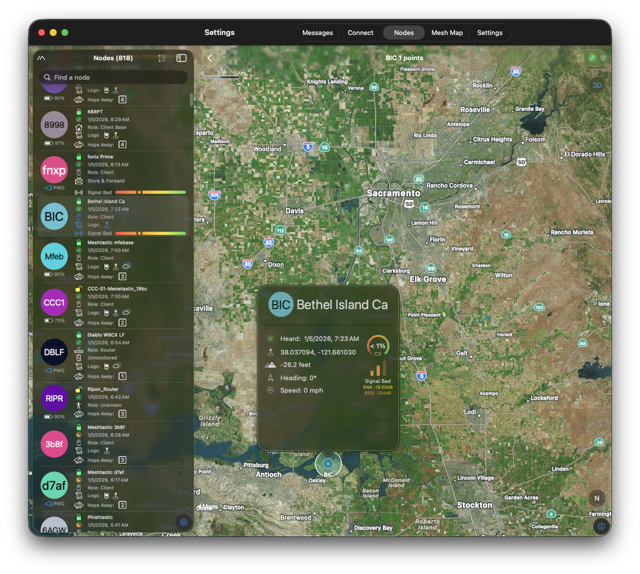
    Google Maps’ “Measure Distance” feature tracks the distance between my node and St35 as being 95 miles as the pelican flies. St35 is 4 hops away. While there is a much higher concentration of nodes in NYC, the geographic spread here in Northern California is considerably larger.

    It makes sense that I can see others nearly 100 miles out, as the connections between nodes is line of sight, then extended by connections and the relaying of data node to node within the mesh network. So looking across a flat valley to join distant nodes, then connecting with others in the mesh around the bay makes for a rather healthy spread.

    Mind you, I’m not using the stock antenna that came with this LILYGO T-Beam SUPREME, so with it I’m connected directly to BIC who is 41 miles away who connects me to the next, then the next, then the next node. Not bad at all.

    I’ll check the app when I’m back in NYC to confirm that this observation is in fact correct. It’s possible the spread isn’t something I notice while there because I’m entirely distracted by the sheer number of nodes on that map.

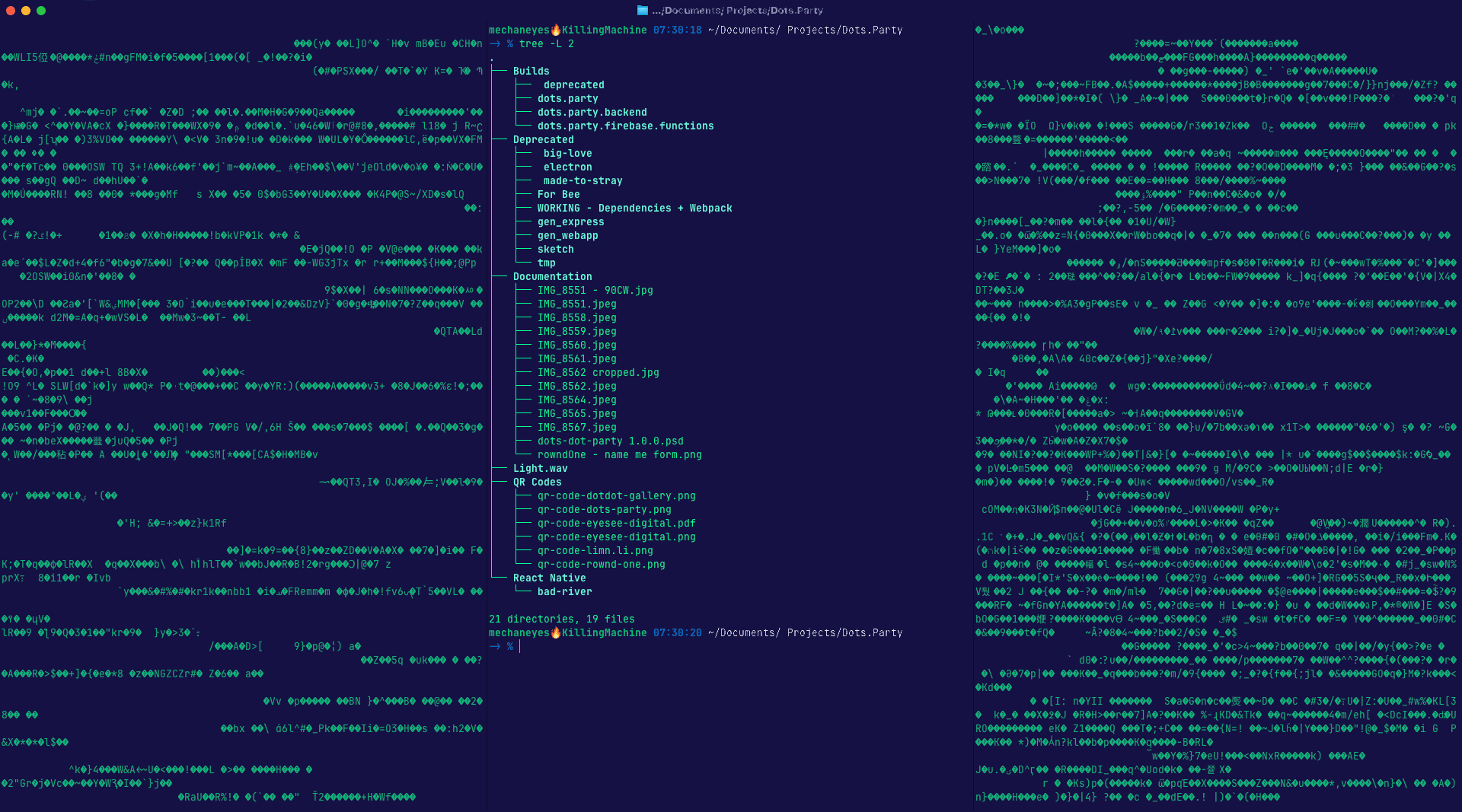
  • `tree -L 2`

    `tree -L 2`

    brew install tree
    
    # current and one level of subdirectories
    tree -L 2

    I quite like the tree command. Found it while working on a Linux box, and was delighted to easily add it via Homebrew.

    https://github.com/Old-Man-Programmer/tree

    https://formulae.brew.sh/formula/tree

    almost reachable God, (or a drone, or a tree)

    This post’s description is quoted from Carolyn Funk’s quite nice examination of Paul Schrader’s 2017 film “First Reformed”.

    One Shot | “First Reformed”